Hair by Lily: from a borrowed page to her own online salon, with a store and delivery
A beauty salon in Hialeah Gardens that booked through someone else's platform and sold its products only in person. Today it has its own home on the internet: a bilingual site on her own domain, bookings that land straight in her calendar, a store with her real inventory and same-day delivery with Uber — all connected, and all run by her.
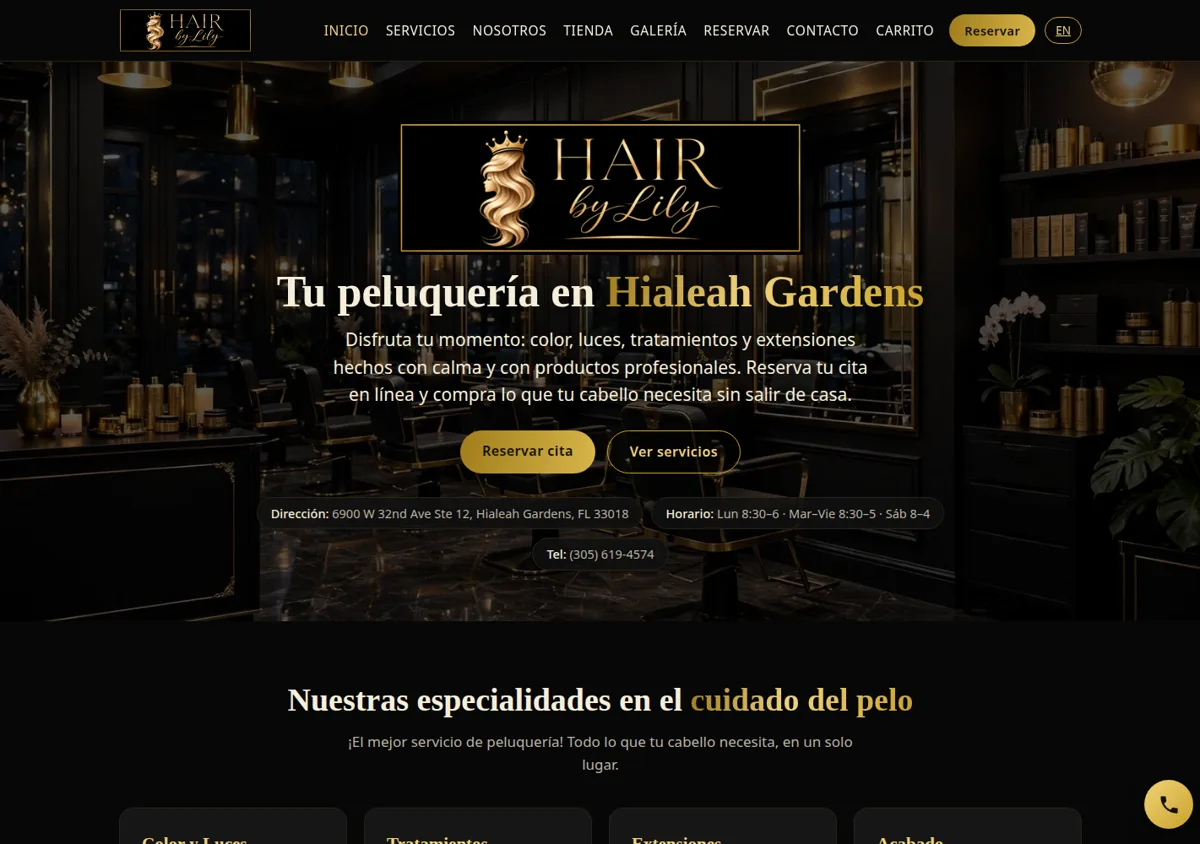
Where she started
Hair by Lily is Liesly Corrales' salon in Hialeah Gardens: color, highlights, treatments, extensions and a loyal clientele built the hard way. Online, though, the business lived on borrowed ground: her page was a corner inside Square's free subdomain — somebody else's address — and bookings ran through an outside platform. Her professional products only sold to whoever walked through the door, even though she already kept them organized in her payment system. None of it was hers: not the address, not the online calendar, not the store.
The goal
The goal was set in one sentence: her whole business had to fit under her own internet address. Her domain, her page in Spanish and English, her 25 services bookable online into her own calendar, her 51 products selling with real inventory and home delivery, and a panel where she runs everything herself without depending on anyone. And without changing how she gets paid: Square would stay her register — the new system had to plug into it, not replace it.
What we built
- A bilingual site with 22 pages (11 in Spanish and their 11 English twins) on her own domain, hairbylilystudio.com, bought in her account and under her name: services, store, gallery, booking, reviews and contact — each page built for a different search.
- Bookings that are born in her Square calendar. The client picks a service, a day and a time seeing real availability; the appointment is created in Lily's Square, and Square itself sends the confirmation and the reminders. No double calendar and no ghost appointments.
- A deposit at booking time, with her policy enforced by the system. Depending on the service, booking requires $5, $10 or 25% of the price. And her cancellation policy is written down and applied automatically: with more than 24 hours' notice, a full refund or a reschedule; with less than 24 hours, or if the client does not show up, the deposit is kept.
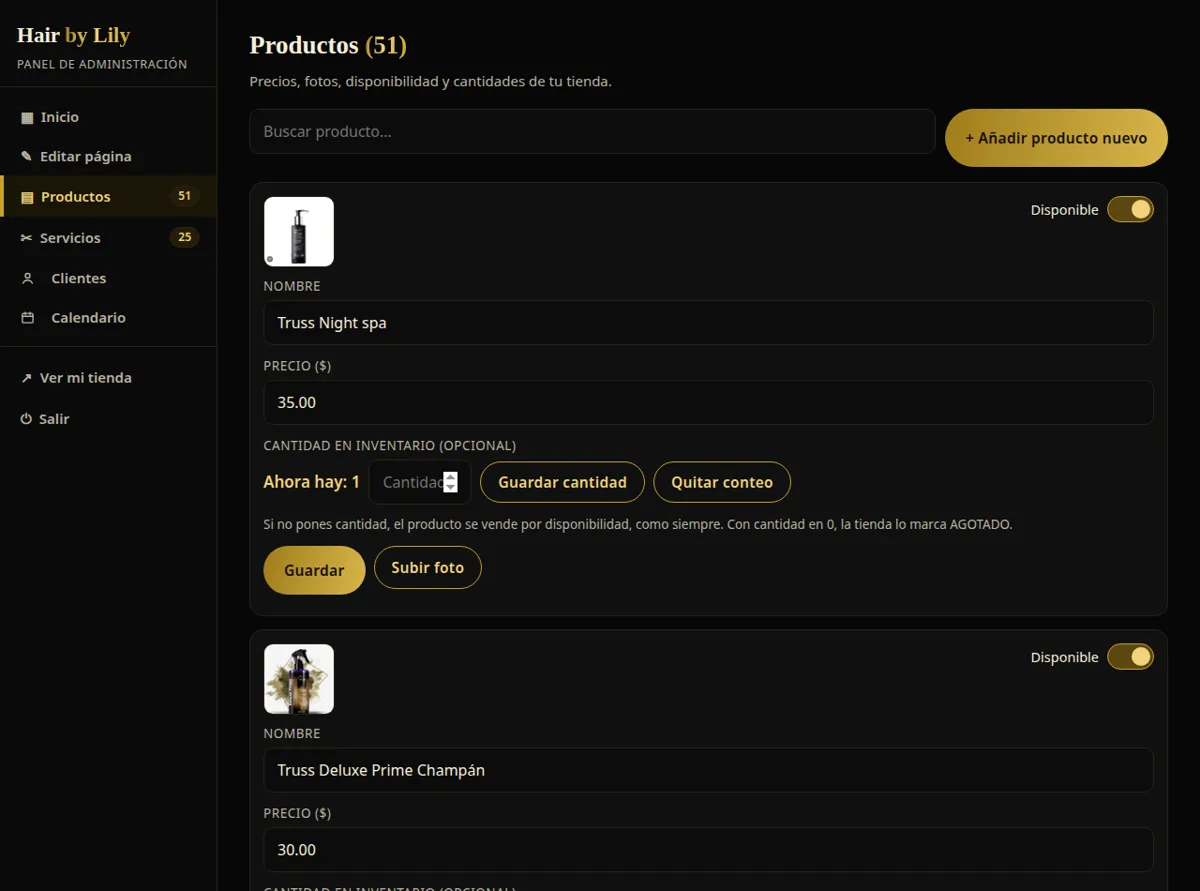
- An online store with her real inventory: her 51 Square products, with their photo, price and quantity, organized in sections like a real store. What sells is deducted on its own; what runs out is marked sold out on its own.
- An admin panel and visual editor: Lily changes prices, photos and services on the very same view her clients see, blocks hours or whole days, reviews her client list and sees her money for the day and the month — without touching code and without having to call us.
- Her business app: the calendar, the store orders and the payments also live on her phone, in sync with the panel and with Square.
- Professional email on her domain ([email protected]) and a closing done the way serious things are closed: a contract and a certificate of acceptance signed online, plus a personal document with every access explained step by step.
How a client books: service, day and time
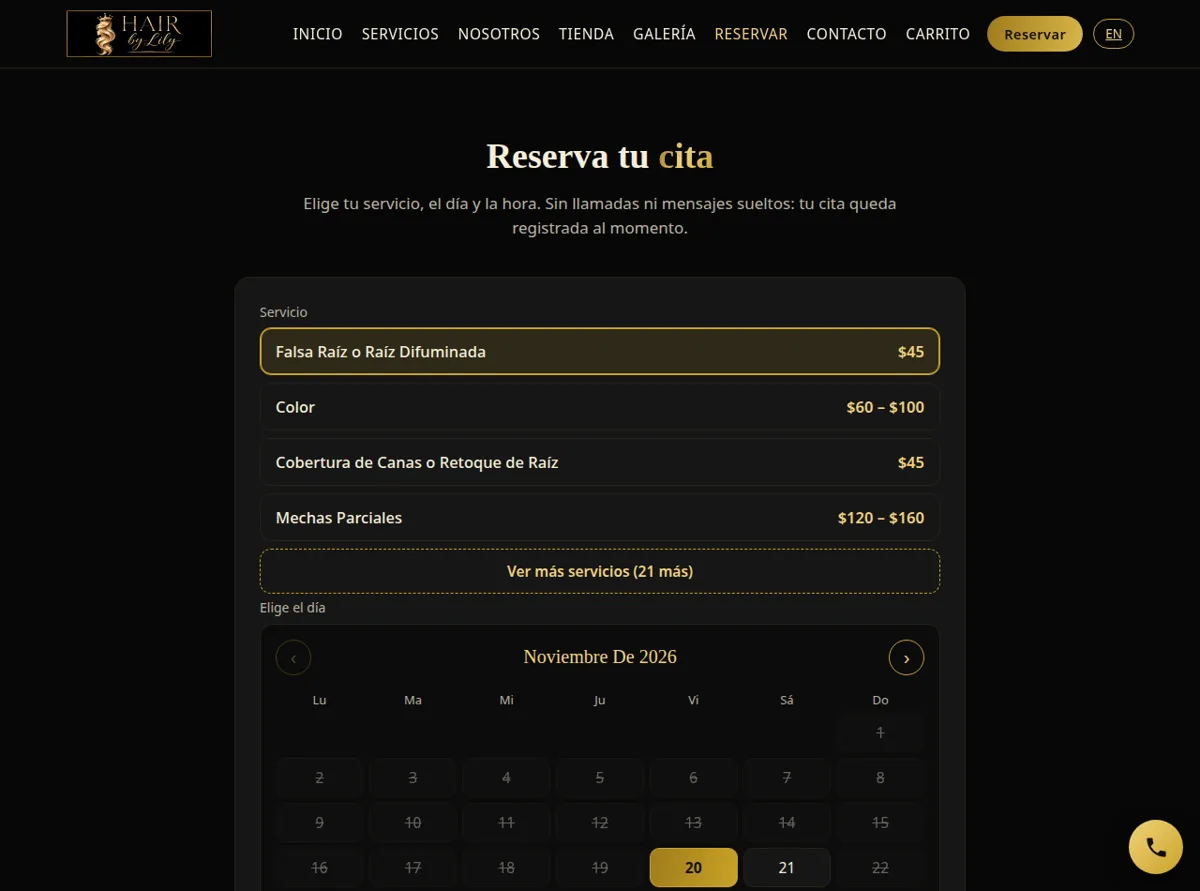
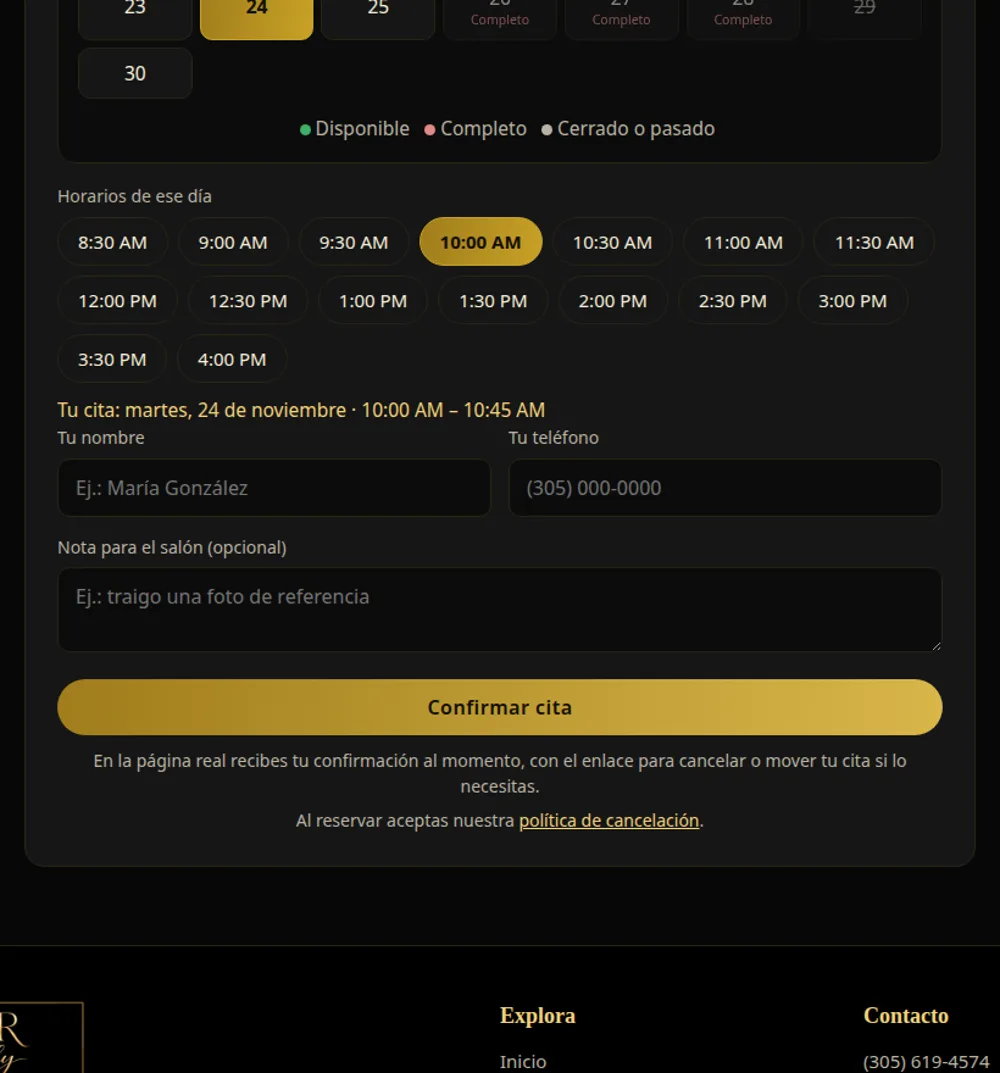
Booking is a single form that moves on its own. First the client picks her service from the list, with the price in plain sight. Then she taps a day on the calendar — Sundays and days off are marked and cannot be chosen — and the system shows her that day's free times, calculated with her service's real duration: if she picks a 45-minute service at 10:00, her appointment reads "10:00 AM – 10:45 AM" and that time is held in the calendar. A three-hour service is never offered at a time where it does not fully fit. When she confirms, she pays the deposit in a secure Square window and the appointment is born in Lily's calendar.
The store: her 51 products, in sections
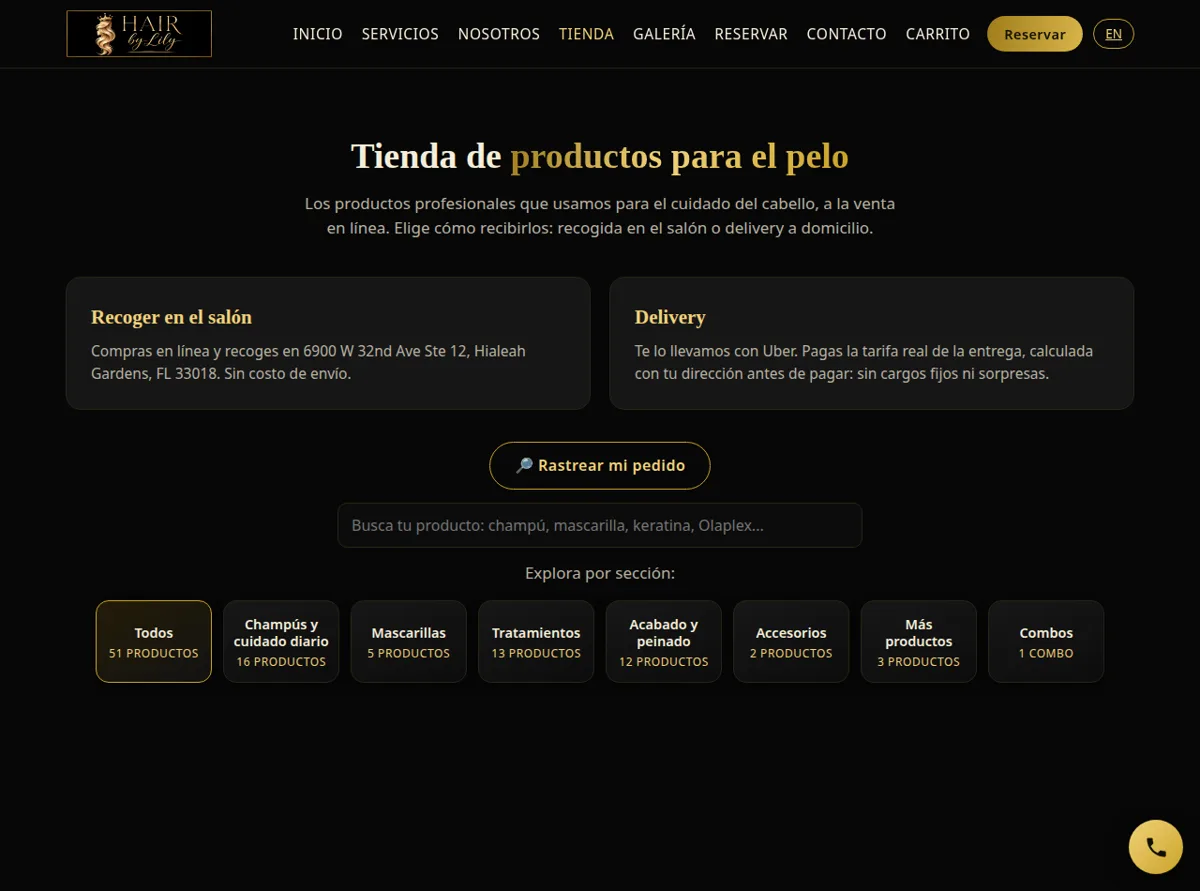
The store is not a pasted-on catalog: it is her Square inventory selling on her own page. Products are presented in sections — shampoos, masks, treatments, finishing and styling, accessories and combos — each with its count, and at the top the client chooses how to receive her purchase: pick up at the salon or home delivery. Whatever Square's feed marks as sold out, the store shows as sold out; whatever sells at the salon is deducted here too.
Delivery: Uber, actually connected
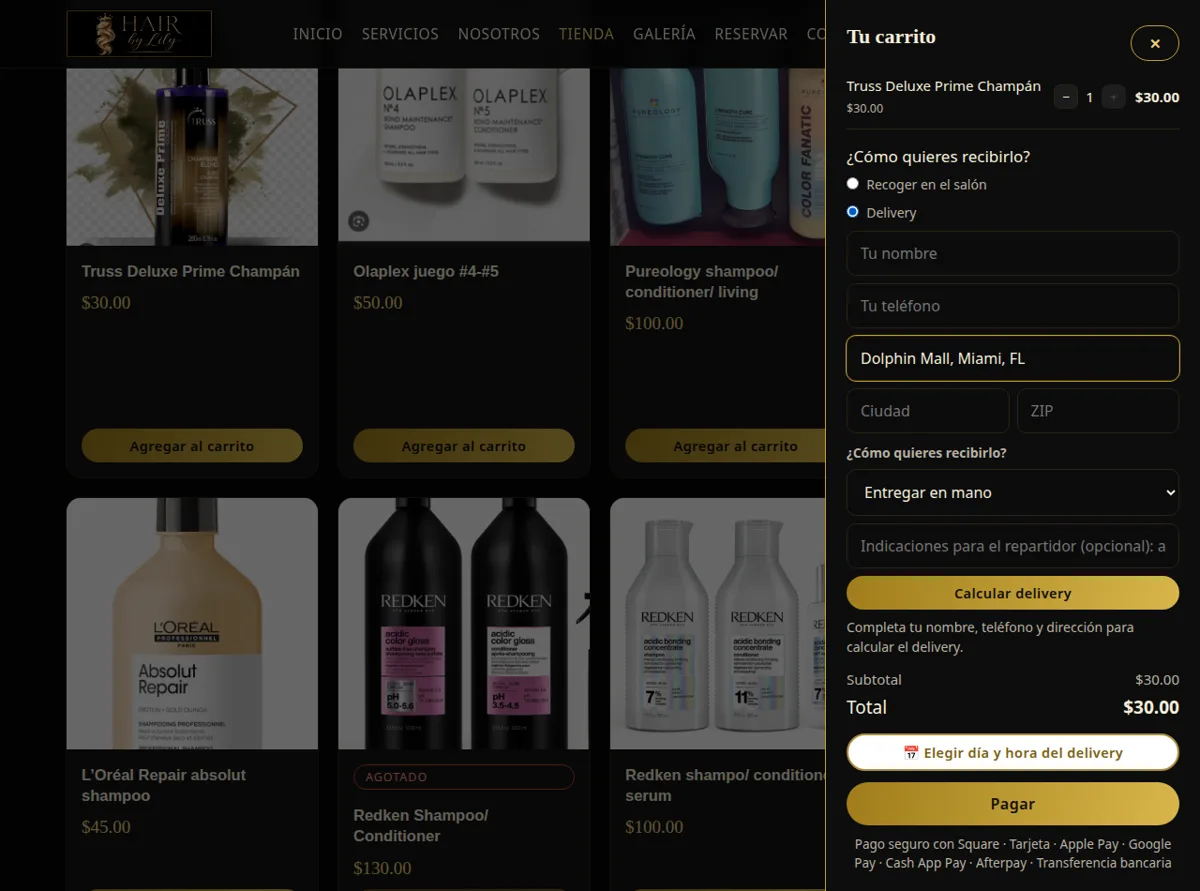
The store did not stop at "pick up at the salon": we connected her Uber Direct account so her products arrive at the client's door the same day. This is how it works, without Lily touching a thing: the client buys and pays on the page — shipping charges Uber's real rate, with no invented markups —; once the payment is confirmed, the system requests the pickup only if the salon is open at that moment; the courier picks the order up at the salon and the client follows her delivery on a live tracking page. If an order comes in while the salon is closed, it is not dispatched blindly: it is scheduled for opening time. Lily just packs the order: in her app it shows as active until it is marked delivered or picked up.
The calendar: one single calendar rules
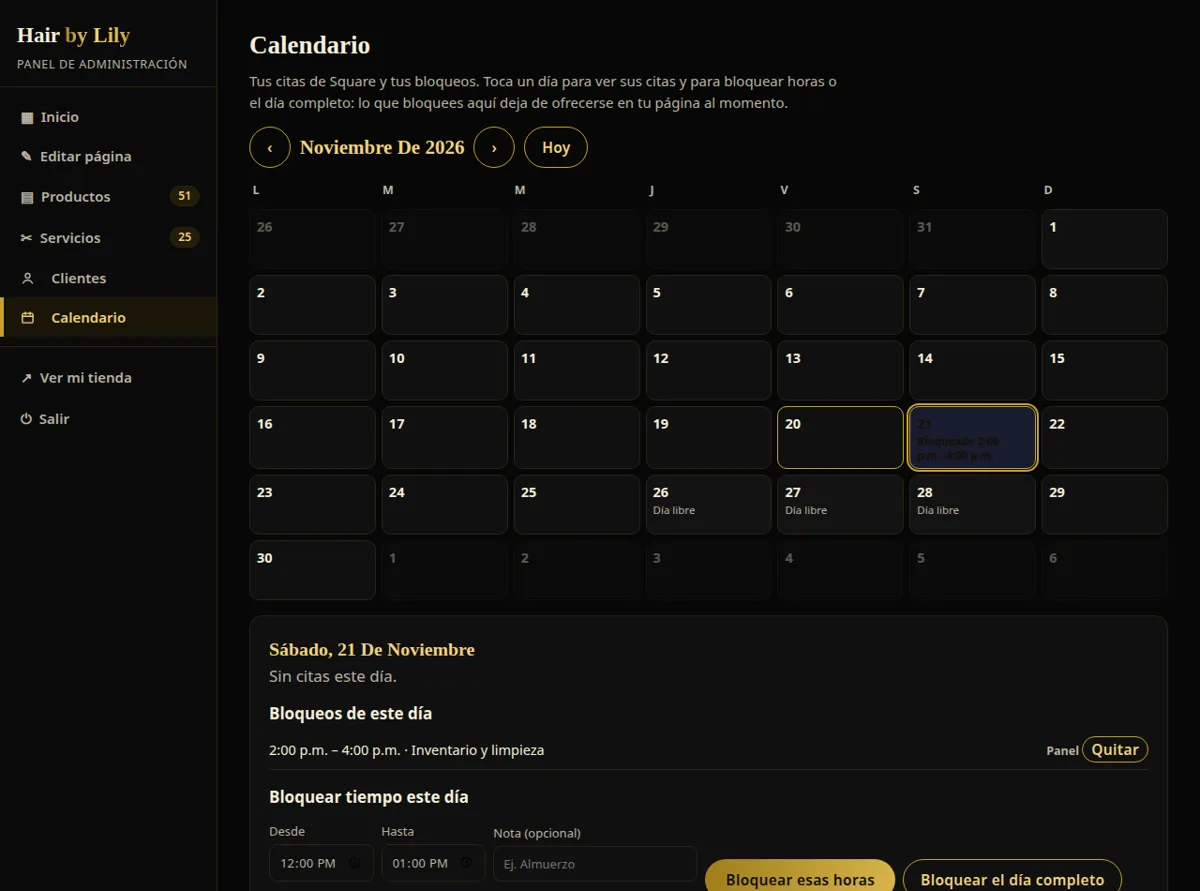
Everything that has to do with time lands in one single calendar: the appointments born in Square, the ones that come in through the page, and Lily's own blocks. From her panel she taps any day and can block a few hours — with her note, for example "Inventory and cleanup" — or the whole day. Whatever she blocks there stops being offered on the page at that very moment: nobody can book over her block. Days off live in that calendar too: the Thanksgiving break (November 26, 27 and 28) is already marked, and the page respects it on its own. And because the times offered to clients come from that same calendar and from each service's duration, the calendar never promises a slot that does not exist.
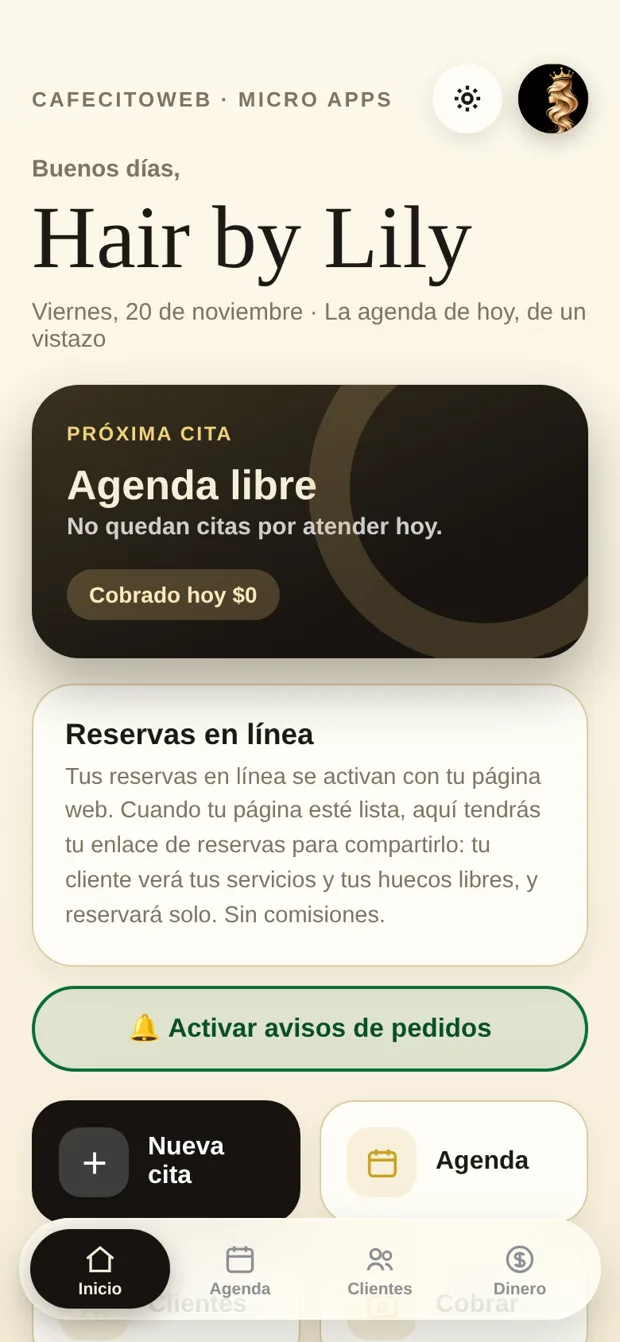
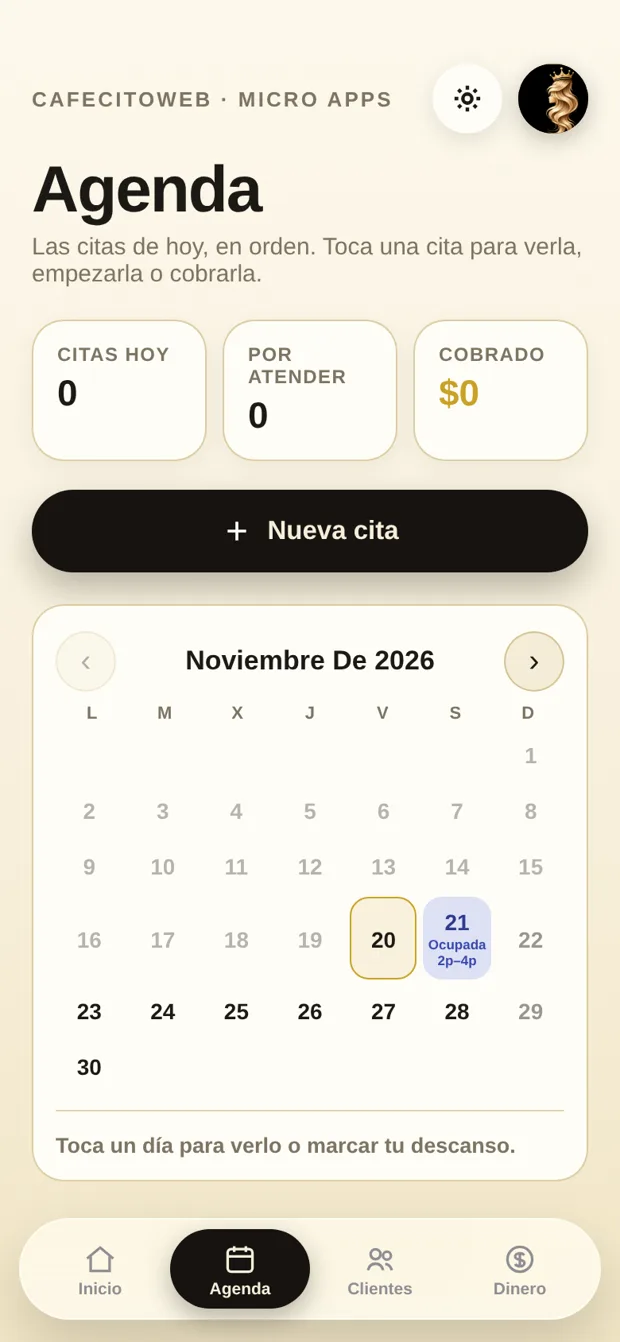
That same calendar is the one Lily sees in her app: the block she sets in the panel shows up on her phone as "Busy 2p–4p", and the day's appointments, the ones still to attend and what has been charged are summarized at the top — in zeros when the day is free. Panel, app and page are not three systems: they are three windows onto the same one.
Her panel: everything runs without touching code
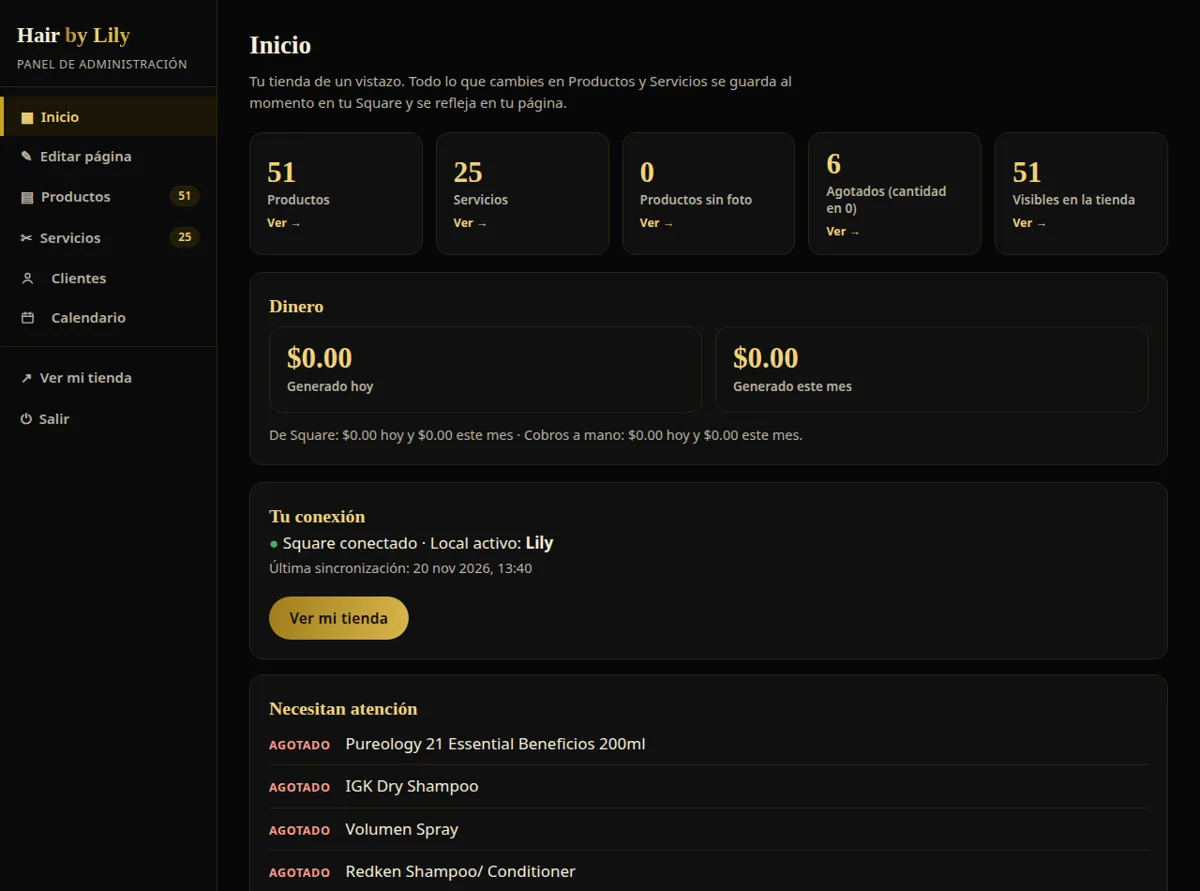
The panel is the control room. When she opens it, Lily sees her store at a glance — how many products and services she has, which ones are sold out or missing a photo and need attention — and her money: what today and this month have generated, adding Square and cash payments together, just like in her app. Under Products she edits each item's name, price, photo and quantity; if she sets a quantity to 0, the store shows it as sold out; if she adds a new product, it is born straight into her Square. Everything she saves here is reflected on her page at that moment, because there are no two copies: the panel writes into the same Square that feeds the store.
The challenges
- Everything had to be one single system. The page, the store, the calendar, the panel and the app all had to read the same data at the same time: if Lily blocks an afternoon in her panel, that afternoon stops being offered on the website instantly; if she sells a product at the salon, the online store deducts that unit. No copies that fall out of date.
- The schedule rules. Every part of the system respects the same salon hours — Monday 8:30 a.m. to 6:00 p.m., Tuesday to Friday 8:30 a.m. to 5:00 p.m., Saturday 8:00 a.m. to 4:00 p.m., Sunday closed — for booking, for selling and for dispatching. The first dispatch test exposed the risk: an order paid after hours could leave at the wrong moment. The logic was fixed so no shipment ever moves while the salon is closed.
- All of her payment methods, online too. Her Square account already accepted Cash App Pay and Afterpay, but the payment links created by the system did not offer them. We caught it by reviewing a real link, fixed how links are created, and today her clients pay by card, Apple Pay, Google Pay, Cash App Pay, Afterpay (on purchases of $10 and up) or bank transfer.
- Her existing calendar was not touched. The appointments she already had in Square stayed exactly as they were: the new system joined her real calendar, it did not replace it.
Tested end to end, with a real order
Before publishing we did not trust test screens: we reviewed all 46 views of the complete system one by one — her 22 public pages and her panel, on phone and on computer —, checked availability against her real calendar, and finished with the test that settles every argument: a real order in the store, actually paid and delivered to a home by Uber, with live tracking working from start to finish. Only when all of that passed was the page published on her domain.
The handover
The project was delivered complete and in writing: the site published on her domain, the certificate of acceptance signed online by the client, and a personal document with every access — her panel, her app, her email, her domain and her Square — explained step by step. Her passwords are hers and her page does not depend on us to exist: now her clients book, buy and write to her in her own home on the internet.
What she has today
A salon that lived at borrowed addresses today has: her own domain, 22 pages in two languages, bookings that land in her calendar with a deposit and her policy enforced on its own, a store with 51 products and real inventory that also sells with Uber home delivery, and a panel with her app where she runs it all. That is the difference between "having a little page" and having the whole business online.
Top speed: ready for Google and for AI
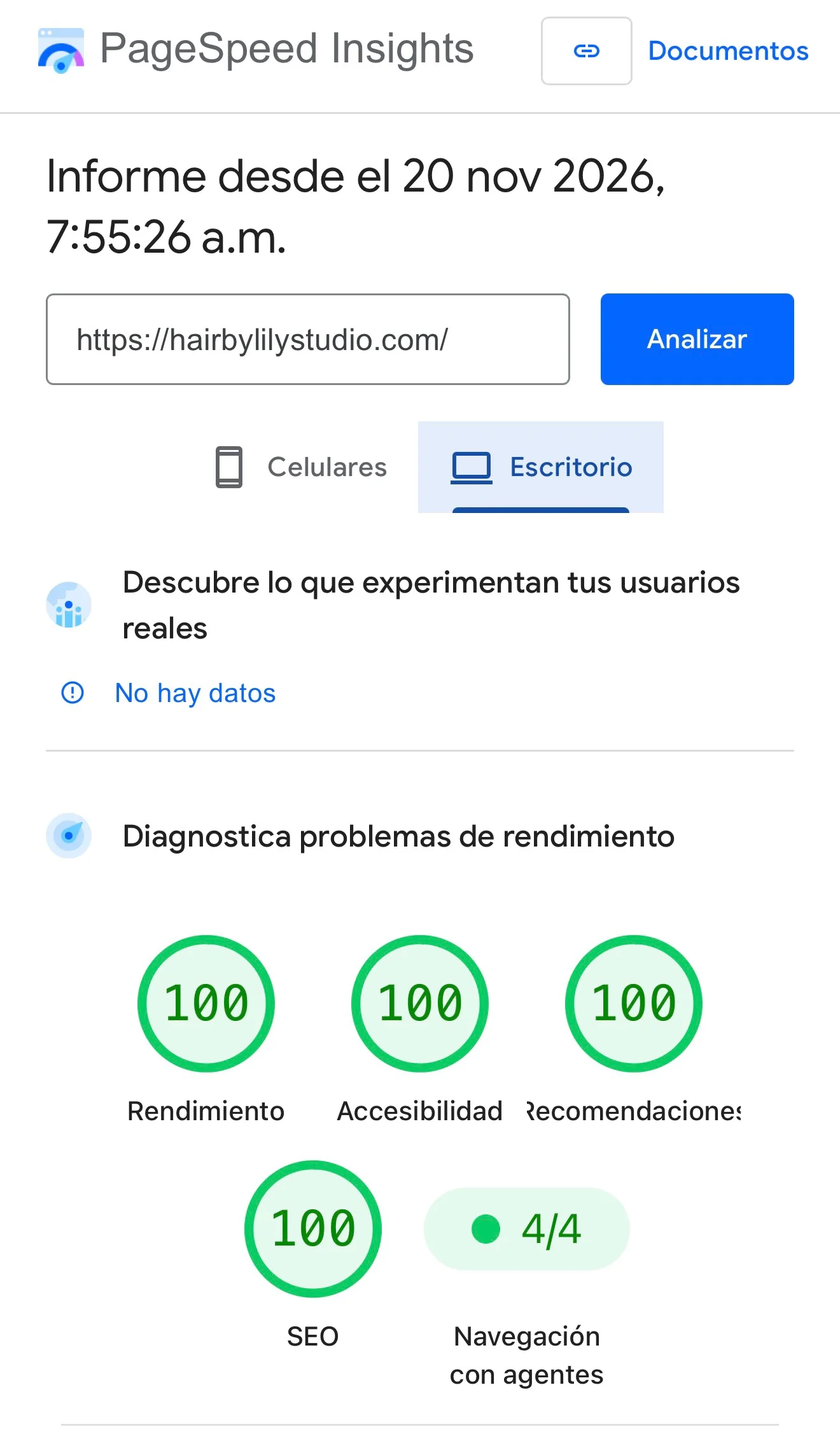
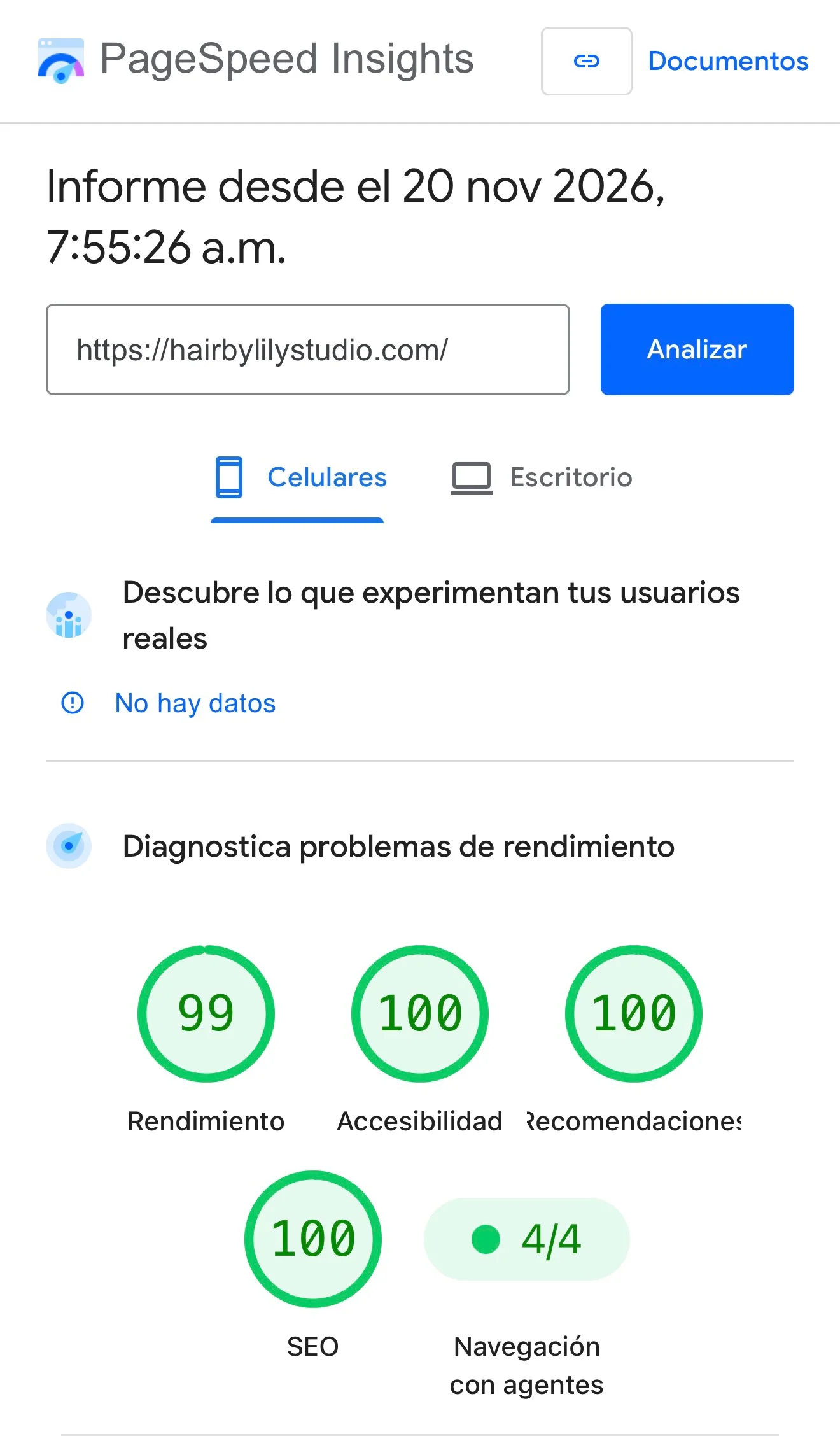
A beautiful page that loads slowly loses clients, so hers was delivered tuned to the last detail: lightweight images sized for each screen, fonts served from her own site, and code trimmed to the minimum. In Google's official PageSpeed measurement, the site scores 100 in desktop performance and 99 on mobile, with 100 in accessibility, 100 in best practices and 100 in SEO.
And it is not just speed: the site was registered in Google Search Console, with its sitemap submitted and indexing requested for its pages — ready to rank in search engines. It is also ready for the search that is coming: it ships its llms.txt file and its agent resource manifest, with Google's top mark in agentic browsing (4/4), so artificial intelligences — ChatGPT, Google's assistants and whatever comes next — can also find it, understand it and recommend it.
Would you like a system like this for your business?
Book a free call and tell us about your business. We will review your case with no obligation, in English or Spanish.